Crystal Reports to PDF · Windows, Linux & macOS
Turn Crystal Reports files into PDFs.
Narity Reporter renders existing .rpt files without any Crystal Reports runtime. Integrate with .NET 10 or use the desktop viewer.
Download the viewerRender your first PDF →
SDK evaluation requires a work email. The online demo needs no account.
01 · Keep your report files
Render existing .rpt files
Open native Crystal Reports binary files and export PDFs. Use saved data or connect to a supported database. No Crystal Reports dependency.
See the .rpt rendering example →02 · Own an open definition
Convert .rpt to JSON, then render PDF
Convert your report into editable JSON. Preserve its decoded layout, formulas, and settings, then render PDFs from JSON.
See the JSON workflow →Inspect the output
A report you can try now
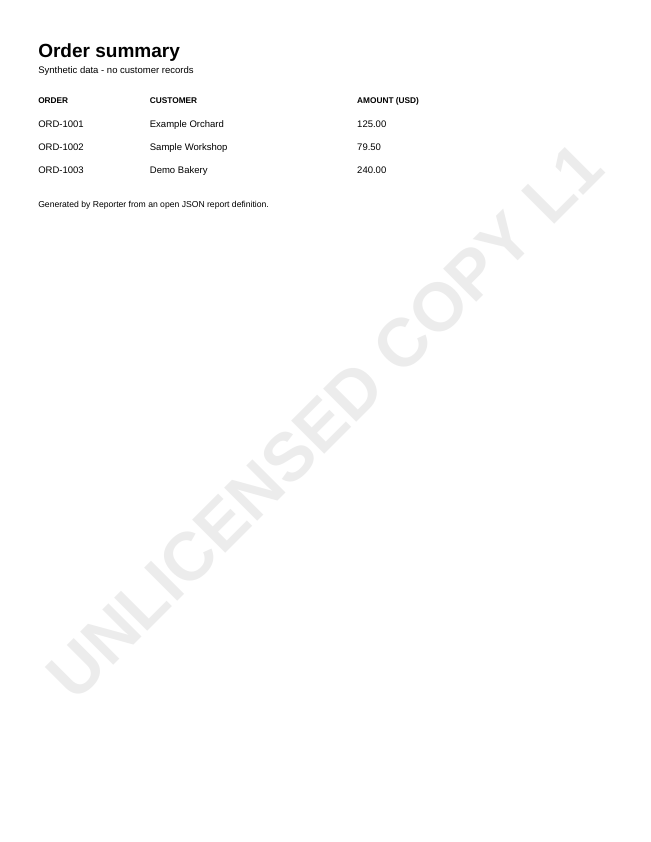
Explore a sample order summary and its JSON definition. Then render it yourself in the browser or in C#.
This fictional sample demonstrates JSON-to-PDF rendering. Try your own .rpt file to evaluate Crystal Reports compatibility.
Open a report in the viewer
Download the desktop viewer for Windows x64, Linux x64, or macOS Apple silicon. No separate .NET installation is needed.
Choose your viewer download →Add PDF reporting to your app
Use the .NET 10 SDK with saved data, PostgreSQL, Oracle, or SQLite. Supply application rows for SQL Command reports.
Start with the C# quickstart →Try your reports before you migrate
Reporter is in preview. Check compatibility and compare the PDF with your Crystal output.